Get started#
From nothing to your first goal in about ten minutes. This page is one path; Install and update and Connect and pair cover the alternatives.
The pieces#
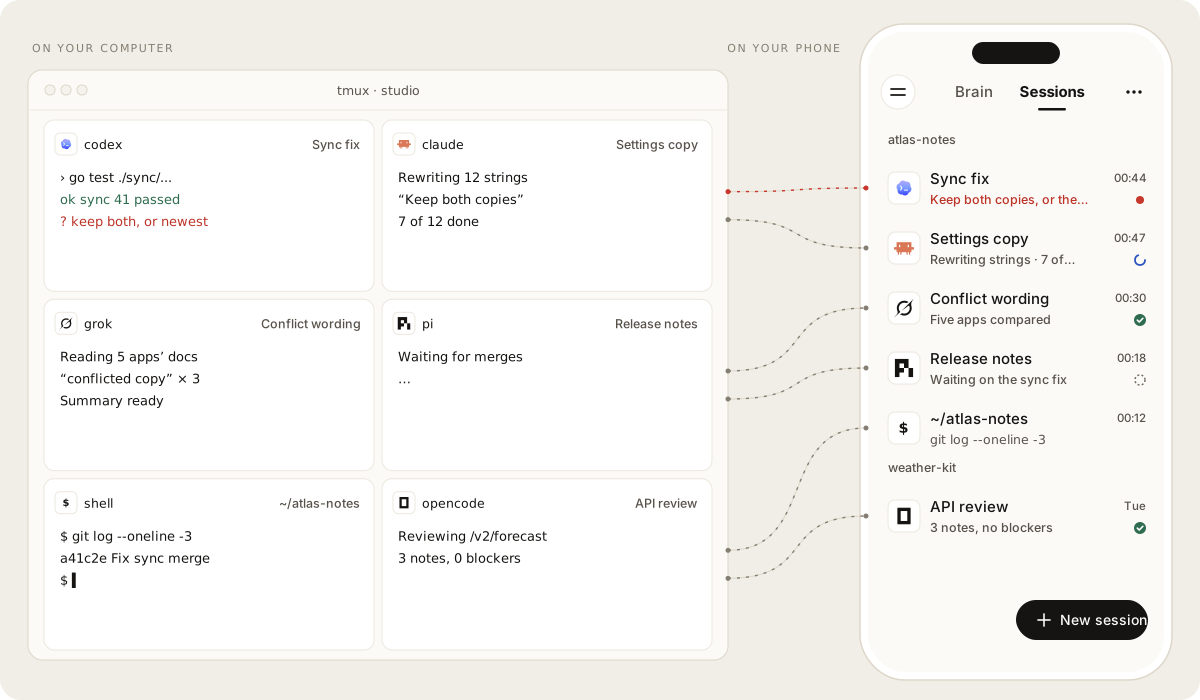
- The daemon (
mewla) runs on your computer next to your repositories,tmuxand agent CLIs. It owns Sessions, Brain, Work and pairing. One binary, no cloud service. - The app on Android or iOS connects to one daemon at a time. The daemon also serves it as a web page.
- Your agent CLIs (Claude Code, Codex, Cursor Agent, Grok, Pi, OpenCode) do the work. Mewla starts and reads them; you sign in to each yourself.
Your code, keys and agent state stay on your computer.
What you need#
- Linux (
amd64orarm64), WSL2, or an Apple Silicon Mac tmux- One agent CLI on
PATH, already signed in - An arm64 Android phone, an iPhone with a source build, or a browser
1. Install the daemon#
curl -fsSL https://raw.githubusercontent.com/daoleno/mewla/main/install.sh | sh
It verifies the release checksum, installs mewla without sudo, sends no
telemetry and finishes by running mewla doctor. Fix anything doctor
reports before you go on.
2. Start it and pair your phone#
On a network you trust (home Wi-Fi, not a café):
mewla --lan
With no device paired yet, it prints a QR code and a pairing link. Install the
app (the Android APK from Releases,
or iOS from source), open it and scan the code. The
code works once and expires; mewla pair prints a fresh one.
Away from home, use Tailscale or an HTTPS tunnel instead of --lan; see
Connect and pair.
3. Start a Session#
Open Sessions, tap New session, pick one of your repositories and tap
an agent. Ask it something small. Switch between Chat and Terminal from
the Session's ⋯ menu: both are the same tmux pane, which you can also attach
to at your desk with tmux attach. More in Sessions.
4. Give Brain a goal#
Open Brain and tell it something with a few parts, for example "Fix the failing test in sync/, then update the changelog". Brain splits it into Work, starts Workers you can watch in Sessions, and puts a slip in the conversation for each part. It calls you only when a slip needs your decision. More in Brain and Work.
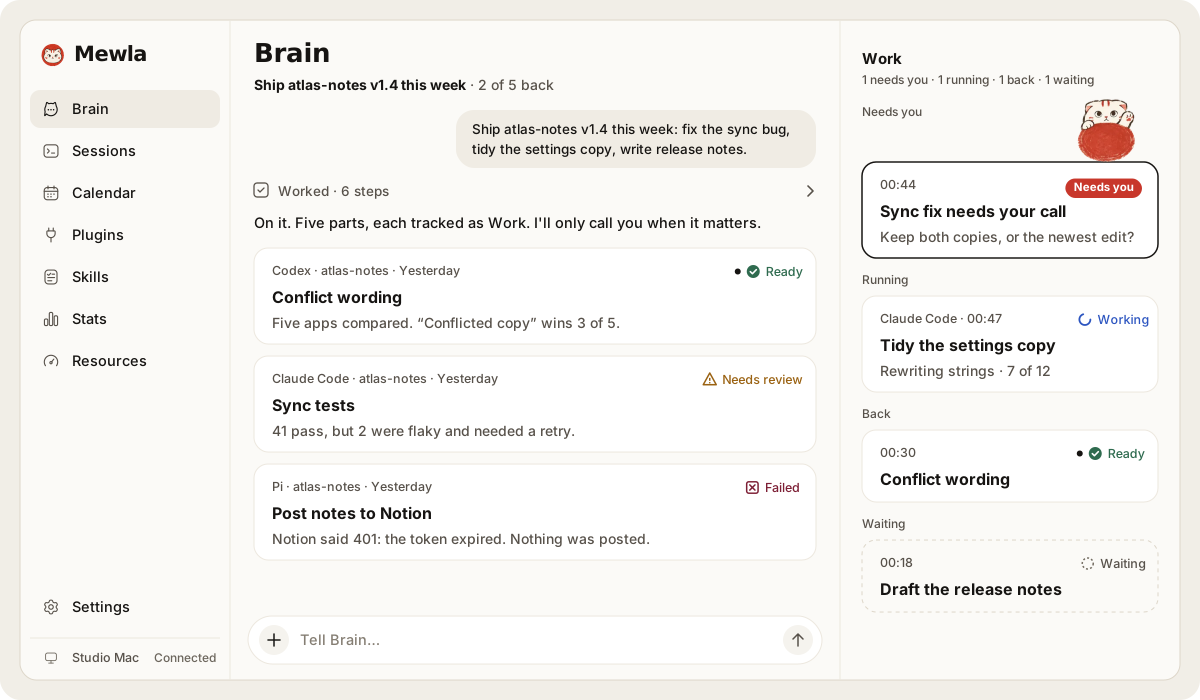
Workers run without asking for approval. Before you leave Brain working on a machine with secrets, read Permission bypass risks.
Find your way#
| On a phone | On a wide screen (1024 pt and up) |
|---|---|
| ☰ opens the menu; the top bar switches Brain · Sessions; ⋯ holds the current page's actions | The menu is a sidebar with Brain and Sessions on top; ⋯ is the same |
The menu holds everything else, each in exactly one place: Calendar, Plugins, Skills, Stats, Resources and Settings.
Next#
- Keep the daemon running across reboots: Install and update
- Reach it from anywhere, add a tablet or a browser: Connect and pair
- Get a push only when something needs you, or talk to Brain from Telegram: Notifications and Telegram
- Choose models and keys, or lock agents down: Agents and models